
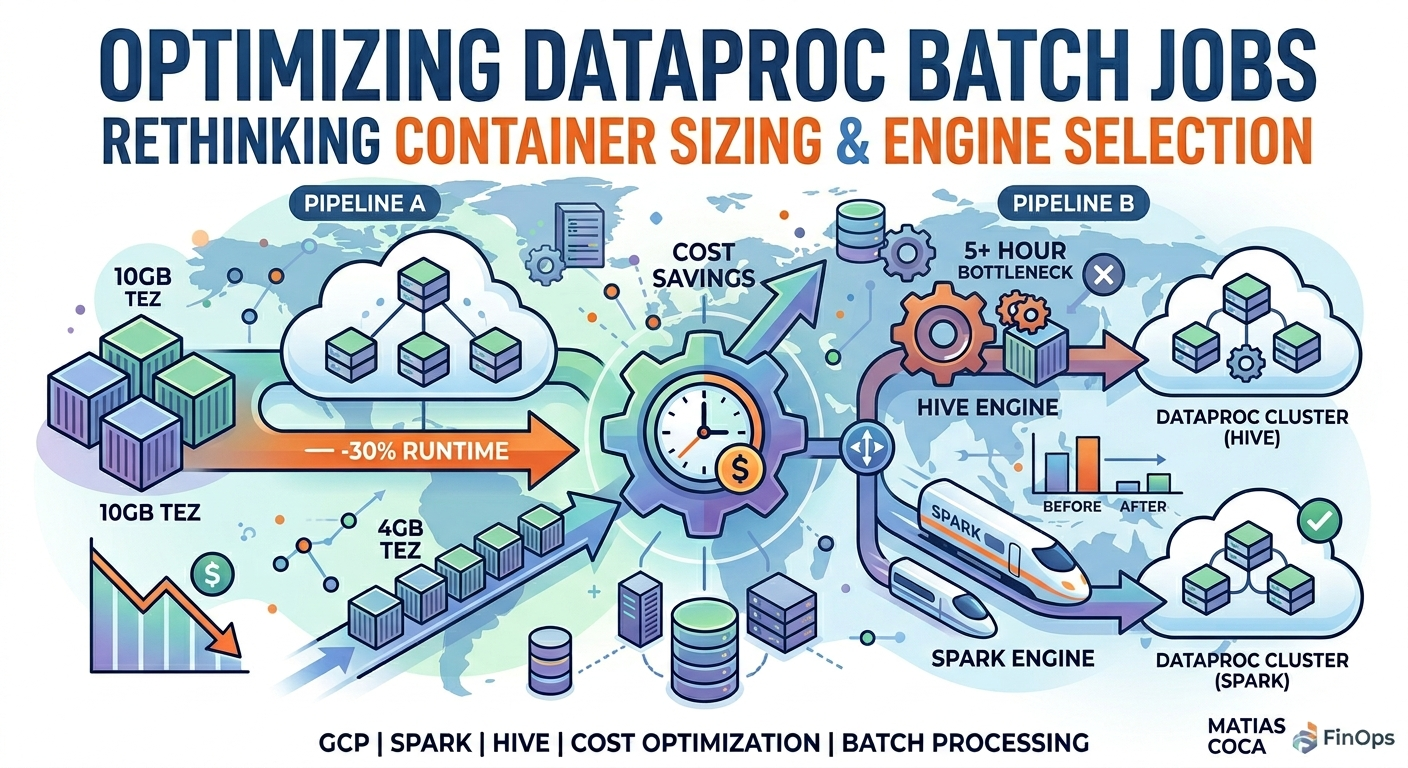
Two Dataproc pipeline optimizations cut runtime and cost measurably: Pipeline A dropped 30 percent runtime through Tez container right-sizing from 10 GB to 4 GB, delivering 2.5 times concurrency on the same 20-worker cluster; Pipeline B eliminated a 5-hour Hive bottleneck by moving one task to Spark and running previously-sequential tasks in parallel, dropping cluster time from 5.5 to 8 hours down to 2 hours. Combined savings 1,200 to 2,700 dollars per month on production workloads. The interesting part is not the result. The first reasonable hypothesis on both pipelines turned out wrong; the fixes that worked came from asking different questions than the ones that felt obvious. If you run scheduled batch jobs on Dataproc (or EMR, or any Hadoop-style cluster), the patterns here will probably look familiar.
The Setup: Two Daily Batch Pipelines
We had two daily batch pipelines running on Dataproc, each orchestrated by Airflow (Cloud Composer):
Pipeline A. A Hive-based pipeline running statistical computations on user activity data. It used a 20-worker cluster with 10GB Tez containers, processing data through several sequential and parallel task phases. Typical runtime: 3-4 hours.
Pipeline B. A more complex pipeline with both Hive and Spark tasks. It spun up two separate Dataproc clusters: one for Hive tasks (30 × e2-highmem-16 workers) and one for Spark tasks (30 × e2-highmem-16 workers). The pipeline computed cross-tabulations between user categories and event sources using lateral view explode operations that create cartesian products from nested map structures. Typical runtime: 6-9 hours, occasionally hitting the 9-hour cluster auto-delete timeout and failing.
Both pipelines had configurations that hadn't been revisited in years. The container sizes, worker counts, and engine choices were set when the data was smaller and the workload was different.
Pipeline A: 30% Faster Through Container Right-Sizing
The Problem
Pipeline A was using 10GB Tez containers on workers with 128GB of RAM. Simple math:
128 GB / 10 GB = ~12 containers per worker
12 containers × 20 workers = ~240 concurrent containers
The tasks were Hive queries doing aggregations and joins, workloads that don't need 10GB of memory per container. Most tasks were completing with well under 4GB of actual memory usage. The oversized containers meant the cluster was running at a fraction of its potential concurrency.
The Fix
We reduced the Tez container size from 10GB to 4GB and adjusted related settings:
Cluster configuration (YAML):
properties:
  hive:hive.tez.container.size: '4096'
  hive:hive.tez.java.opts: '-Xmx3276m'
  tez:tez.runtime.io.sort.mb: '1024'
  tez:tez.runtime.unordered.output.buffer.size-mb: '204'
  mapred:mapreduce.map.memory.mb: '4096'
  mapred:mapreduce.map.java.opts: '-Xmx3276m'
Per-query HQL files:
SET hive.tez.container.size=4096;
SET hive.tez.java.opts=-Xmx3276m;
The new concurrency:
128 GB / 4 GB = ~30 containers per worker
30 containers × 20 workers = ~600 concurrent containers
That's a 2.5x increase in concurrency. Tasks that previously waited in queue now ran immediately.
The Result
| Metric | Before | After | Change |
|---|---|---|---|
| Peak concurrent containers | ~240 | ~600 | +150% |
| Pipeline runtime | 3-4 hours | 2-2.5 hours | -30% |
| Cluster cost per run | Baseline | -30% | Proportional to runtime |
When This Approach Does NOT Work
This is important. The same container reduction strategy failed completely on Pipeline B (see the next section for the full story). The short version: Pipeline B's queries use lateral view explode to unnest nested map structures, creating cartesian products within each map task. That operation is memory-bound. Shrinking the containers forced the JVM to spill to disk, garbage collect more aggressively, and burn more wall-clock time overall, even though "more parallelism" sounds like it should always be a win.
The lesson: container sizing must match the workload. Aggregations and simple joins work fine with small containers. Explodes, cartesian products, and wide transformations need more memory per task. There is no universal "right" container size. You have to understand what each query does.
Pipeline B: Eliminating the Bottleneck by Switching Engines
The goal here wasn't to rewrite anything from scratch. It was to find the cheapest changes that would meaningfully cut runtime, ideally without touching the underlying business logic.
The Problem
Pipeline B had 12 Hive compute_metrics tasks computing cross-tabulations using this pattern:
SELECT
  category_id,
  source_id,
  count(1) as record_count
FROM user_activity
  tablesample(bucket 1 out of 3)
  lateral view explode(
    map_keys(categories_by_type[TYPE])
  ) t as category_id
  lateral view explode(
    map_keys(events_by_source[SRC])
  ) t2 as source_id
WHERE partition_date = DATE
  AND events_by_source[SRC] is not null
GROUP BY category_id, source_id
The double lateral view explode creates a cartesian product per record. If a record has 100 categories and 50 event sources, that single record produces 5,000 rows. Multiply that across billions of records, and certain task partitions become enormous.
One task in particular, computing cross-tabulations for category type A, consistently took 5+ hours due to extreme data skew. Several other related tasks ran in 2-3 hours each. The type-A task alone was the bottleneck for the entire Hive cluster, pushing total pipeline runtime to 8-9 hours and occasionally hitting the cluster auto-delete timeout.
The First Instinct (And Why It Was Wrong)
The first thing to check on a Hive-on-Tez job is container sizing. The HQL was setting Tez containers to 12 GB. With 128 GB workers, that's only ~10 containers per worker (high memory per task, low parallelism). The intuitive move: shrink containers to 4 GB and triple parallelism. Same total memory, same total work, more concurrency. It had just worked on Pipeline A, after all.
It made things significantly worse:
- The 5-hour task went to 6 hours 37 minutes (+32%)
- Other related tasks were ~15% slower
- Some downstream tasks got killed when the cluster's 9-hour TTL expired before they could finish
This is the part that almost never appears in optimization writeups: the first thing I tried wasn't just neutral, it was actively worse. If I'd shipped it without measuring, I'd have made the pipeline 30% slower and called it an improvement.
Asking a Different Question
Two other similar tasks (category types B and C) had already been moved from Hive to Spark in a previous optimization effort, and they ran significantly faster there. That detail had been sitting in plain sight the whole time, but I'd been so focused on tuning Hive that I hadn't asked the obvious follow-up.
The question wasn't "how do we make Hive faster?" It was "why is this task on Hive at all?"
The answer turned out to be "no good reason. It's been there since the original pipeline was written." The task didn't depend on anything Hive-specific. The only thing keeping it there was inertia.
Why Spark Handles This Better Than Hive
The skew in this workload is at the map level. Some input partitions produce vastly more rows than others after the double explode. Hive's Tez engine has limited ability to handle this:
hive.groupby.skewindata=trueonly addresses reducer-side skew by adding an extra shuffle phase. It doesn't help when the skew is in the map phase.- Tez containers have fixed memory, so a straggler map task with a huge cartesian product gets the same memory as a fast task with a small one.
- Adaptive Query Execution (AQE) can detect skewed partitions at runtime and split them
- Dynamic executor allocation scales resources based on actual demand
- Executors can request more memory overhead for shuffle-heavy operations
The Fix
We moved the bottleneck task from Hive to Spark. The Spark version of the query already existed (it was used for the previously migrated tasks), so the change was purely in the DAG definition:
Before:
- Spark cluster:
task_B >> task_C(sequential) - Hive cluster:
task_A+ 9 others (parallel)
After:
- Spark cluster:
[task_B, task_C, task_A](parallel) - Hive cluster: 9 remaining tasks (parallel)
We also changed the Spark tasks from sequential to parallel execution, since the 30-worker cluster with dynamic allocation could handle 3 concurrent jobs.
Additionally, we added three Spark cluster properties that addressed stability and performance issues observed in earlier runs:
properties:
  spark:spark.sql.files.ignoreMissingFiles: 'true'
  spark:spark.executor.memoryOverhead: '2048'
  spark:spark.sql.shuffle.partitions: '2000'
ignoreMissingFilesprevents crashes from transient GCS file-not-found errors during readsmemoryOverheadat 2048 MB prevents executor OOM during shuffle-heavy operationsshuffle.partitionsat 2000 (up from the default 200) provides better parallelism for the large shuffles produced by the double explode
The Result
| Task | Before (Hive) | After (Spark, parallel) | Change |
|---|---|---|---|
| Type A | 5+ hours | 3h 34m | -30% |
| Type B | 3h 19m (Spark, sequential) | 6h 38m (Spark, parallel) | +100% (contention) |
| Type C | 1h 44m (Spark, sequential) | 4h 40m (Spark, parallel) | +170% (contention) |
| Metric | Before | After | Change |
|---|---|---|---|
| Spark cluster active time | ~5h 30m | ~6h 38m | +1h 08m |
| Hive cluster active time | 5h 30m - 8h | ~2h | -3h 30m to -6h |
| Total DAG runtime | 6-9h (sometimes failing) | 7h 25m | Stable, no failures |
| Net cluster compute saved | N/A | 2.5-5 hours of 30-node cluster/day | Significant |
Beyond cost, the pipeline went from occasionally failing (hitting the 9-hour cluster auto-delete timeout) to completing reliably every day.
Key Takeaways
1. The first reasonable hypothesis is often wrong
Container sizing felt like the obvious lever for Pipeline B. It wasn't. The actual lever was a question I hadn't even asked yet: "is this task on the right engine?" Until you're sure your premise is right, every "obvious" fix is just an expensive guess. The same change that gave Pipeline A a 30% win made Pipeline B 32% worse. Workloads aren't interchangeable.
2. Test changes end-to-end before celebrating
I came very close to shipping the container reduction on Pipeline B without re-running the pipeline end-to-end. If I had, I'd have made it 30% worse, declared victory based on the theory ("more parallelism, must be faster"), and moved on. The only thing that saved me was the discipline of measuring before claiming.
This applies broadly: optimization decisions made on theory or local tests usually don't survive contact with production. Always measure end-to-end, on real data, on real clusters.
3. Container sizing is workload-specific
Smaller containers = more concurrency = faster throughput, but only for workloads where per-task memory demand is low. Aggregations and simple joins? Reduce containers. Explodes, cartesian products, and wide transformations? Keep them large.
How to check: Look at your Tez or YARN container metrics. If actual memory usage per container is consistently below 50% of the allocated size, you're overprovisioned. If you see OOM errors or straggler tasks spending hours on single partitions, you may be underprovisioned.
4. The right engine matters more than tuning the wrong one
We spent significant effort trying to optimize Hive for a workload that was fundamentally better suited to Spark. No amount of Tez container tuning would fix the map-side skew problem. It's a limitation of the engine. Moving the task to Spark solved it immediately.
Signs you're on the wrong engine:
- Straggler tasks that take 10x longer than the median
- Skew that
hive.groupby.skewindatadoesn't fix (because it's in the map phase, not the reduce phase) - OOM errors at any reasonable container size
- Tasks that improved dramatically when previously migrated to the other engine
5. Parallelism has a cliff, and parallel execution still beats sequential
Running 3 jobs in parallel on a 30-worker cluster made each individual job slower (~2x). But the total wall-clock time was less than running them sequentially, and it freed the other cluster from its bottleneck, resulting in net cost savings.
The math that matters:
Sequential: A(3h) + B(2h) + C(4h) = 9h
Parallel:   max(A×1.5, B×1.5, C×1.5) = 6h
Even with contention overhead, parallel wins on wall-clock time. And since cluster cost is proportional to wall-clock time (not task time), parallel is cheaper.
But parallelism has a ceiling. On Pipeline B, three-way parallelism made the heaviest task dramatically slower under contention, bad enough that running the heaviest job first and then the other two in parallel was faster overall than launching all three at once. There's nothing magical about "more is better." Every cluster has a contention point where adding concurrent work starts dragging down the slowest task faster than it speeds up the others. The right question isn't "how much can I parallelize?" It's "what's the highest level of parallelism I can sustain without dragging down my critical-path task?"
6. Cluster auto-delete TTL is a silent killer
Dataproc's auto_delete_ttl is a safety net that prevents forgotten clusters from running forever. But if your pipeline occasionally takes longer than the TTL, you get silent failures: tasks killed mid-execution with no clear error.
auto_delete_ttl: 32400 (9 hours)
Don't increase the TTL to fix slow pipelines. That just increases cost and hides the real problem. Instead, make the pipeline faster. The TTL should be a safety margin above your expected runtime, not the expected runtime itself.
7. Test in production, carefully
Both optimizations required production testing. Staging environments rarely have the same data volume, skew patterns, or cluster contention as production. We ran manual DAG triggers during off-peak hours, reviewed every task's output, and reverted changes that didn't work before the next scheduled run.
The approach:
- Make changes on a branch
- Deploy to production but don't merge
- Trigger a manual run
- Review every task's output (duration, resource usage, errors)
- Revert what didn't work, keep what did
- Commit and merge only proven changes
A Framework for This Kind of Work
Generalizing from these two pipelines (and a few others), here's the loose process I'd recommend for anyone optimizing scheduled batch pipelines.
Start with the bottleneck, not the whole pipeline
There's almost always one task that dominates. Find it, focus on it. If you cut the longest task in half, you cut total runtime significantly even if everything else stays the same. Going after smaller tasks first wastes your attention budget.
Verify the problem before you fix it
Look at actual task-level metrics, not summary statistics. Sample real durations. Watch a live run if you can. UI dashboards show patterns (uniform load, straggler tails, wave-based queuing) that summary numbers hide. If a Tez or Spark UI gives you an "average duration" number, double-check it: those averages can be skewed by failed-task attempts that complete in milliseconds.
Question the premise, not just the parameters
The big win on Pipeline B came from asking "why is this on Hive?", not from tuning Hive better. Sometimes the right answer is to move the work somewhere else entirely, switch engines, or change the scheduling shape. Don't anchor on the first frame you walked in with.
Change one thing at a time and measure end-to-end
It's tempting to bundle several "obvious" improvements into one experiment. Don't. If something regresses, you won't know which change caused it. And if something improves, you won't know which change deserves credit.
Always have a baseline number ready
Without a baseline, "it ran in 56 minutes" is meaningless. Was that good? Bad? Compared to what? Capture baseline runtimes for the tasks you're optimizing before you touch anything.
Be willing to find nothing
Some pipelines are correctly sized for the work they're doing. The honest answer is sometimes "no quick wins available." That's not failure. It's a finding. It tells you and your team where to spend (or not spend) future engineering time.
Practical Checklist
Quick wins (1-2 hours)
- [ ] Check your Tez/YARN container sizes vs actual memory usage. Are you over-provisioned?
- [ ] Look for straggler tasks that take 5x+ longer than the median. These are skew candidates
- [ ] Check if any tasks were previously migrated between Hive and Spark. The same migration may benefit similar tasks
- [ ] Review your
auto_delete_ttl. Is it being hit? That's a pipeline speed problem, not a TTL problem
Medium-term improvements (1-2 days)
- [ ] Right-size containers for each query type (aggregations vs joins vs explodes)
- [ ] Identify tasks that could benefit from switching engines (Hive → Spark or vice versa)
- [ ] Test parallel execution for tasks that currently run sequentially
- [ ] Add Spark stability settings (
ignoreMissingFiles,memoryOverhead) if you see transient failures
What to monitor after changes
- [ ] Per-task duration compared to previous runs
- [ ] Cluster active time (this is what you pay for)
- [ ] Container concurrency (are you using the cluster fully?)
- [ ] Straggler tasks (last 5% of tasks taking disproportionate time)
- [ ] Cluster TTL margin (how close are you to the auto-delete limit?)
The Cost Impact
For context, a 30-node e2-highmem-16 Dataproc cluster costs approximately:
30 workers × e2-highmem-16 (~$0.54/hr) = ~$16.20/hr
+ 1 master × e2-highmem-16 = ~$0.54/hr
Total: ~$16.74/hr
Pipeline A's 30% runtime reduction saved roughly $16-25 per daily run.
Pipeline B's optimization saved 2.5-5 hours of Hive cluster time per day, minus 1 hour of additional Spark cluster time: $25-67 net savings per daily run.
Over a month, that's $1,200-2,700 in compute savings, from changes that took a few days to implement and validate. These savings compound: the clusters also release their resources sooner, reducing contention with other jobs sharing the same project quotas.
Running Dataproc batch jobs that feel slower than they should be? Brain Agents AI helps teams optimize cloud spend across GCP and AWS, without enterprise complexity or a dedicated FinOps team.
Related Articles: