
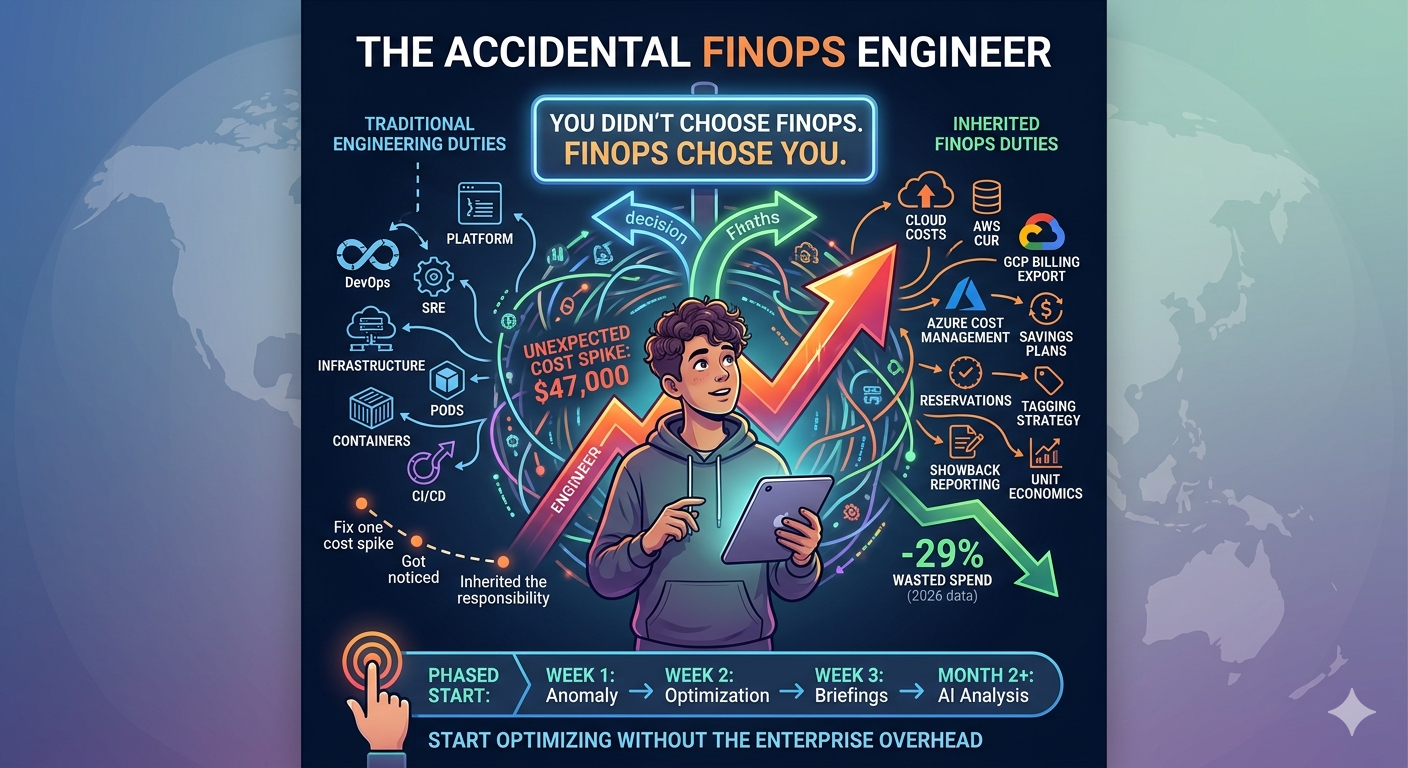
If you inherited FinOps at work without asking for it, you are not alone: 37 percent of organizations still have no dedicated FinOps function per Flexera 2026. Five fundamentals matter more than any certification: understand your billing data (GCP BigQuery billing export, AWS CUR in Athena, Azure Cost Management exports), tag at least 70 percent of spend, set alerts rather than dashboards, run a 30-minute monthly waste audit using native tools (GCP Recommender, AWS Trusted Advisor, Azure Advisor), and learn one commitment discount model thoroughly on your primary cloud. Cadence: 10 minutes weekly, 60 minutes monthly, half a day quarterly, and the biggest risk is scope creep not under-investment. The rest of this walkthrough covers each fundamental in depth, the sustainable rhythm, and how to defend your scope so this stays a few hours a week and not a second job.
The Making of an Accidental FinOps Engineer
The FinOps Foundation's annual survey from Flexera paints an interesting picture of the industry in 2026. Sixty-three percent of organizations now have a dedicated FinOps team, up from 51% just two years ago. The discipline is growing fast.
But flip that number around: 37% of organizations still have no dedicated FinOps function. In those companies, cloud cost management falls on whoever happens to be closest to the infrastructure. That is usually a platform engineer, a DevOps lead, or a senior SRE who made the mistake of being competent at the wrong moment.
The progression is remarkably predictable:
Stage 1: The Incident. Something costs more than it should. You notice, or someone asks you to look. You fix it. This takes a few hours and you move on with your actual job.
Stage 2: The Recognition. Your manager mentions it in a standup. "Great catch on the billing thing." Finance sends you a thank-you Slack message. You feel good about it. This is still your regular job with a small side quest.
Stage 3: The Ask. "Hey, since you're already looking at this stuff, could you keep an eye on our cloud spend? Maybe do a monthly review?" It sounds reasonable. It sounds small. You say yes.
Stage 4: The Expansion. The monthly review becomes a weekly review. The weekly review becomes a standing agenda item in leadership meetings. Someone adds you to a Slack channel called #cloud-costs. You start getting tagged in procurement discussions about reserved instances. You are now doing two jobs, and nobody adjusted your workload or title to reflect that.
Stage 5: The Realization. You Google "FinOps certification" at 10pm on a Tuesday, not because you want the certification, but because you are trying to understand what you have been doing for the last six months. You find an entire industry, complete with frameworks, maturity models, and job titles. You realize you have been doing FinOps without knowing it had a name.
Sound about right?
What the Industry Offers vs. What You Actually Need
Here is the frustrating part. Once you realize FinOps is a real discipline, you start looking for help. And what you find is an ecosystem built almost entirely for dedicated teams at large enterprises.
The FinOps Foundation's framework is excellent, but it assumes you have a team. It talks about organizational alignment, executive sponsorship, cross-functional working groups, and maturity models with three phases. If you are a solo engineer splitting time between FinOps and your actual job, reading about "Phase 3: Operate" feels like reading about retirement planning when you cannot make rent.
The tooling landscape is not much better. Enterprise cost management platforms like CloudHealth, Apptio, or Spot by NetApp are powerful, but they cost five or six figures annually, take months to implement, and assume someone is working in them full-time. They are built for the 63% who have dedicated teams, not the 37% who have you.
Even the metrics feel wrong. The industry talks about "unit economics" and "cost per transaction" and "showback models." Those are valuable concepts, but when you are staring at a $47,000 AWS bill trying to figure out why it jumped 20% since last month, you do not need a unit economics model. You need to know what changed and whether it was intentional.
Meanwhile, the stats keep getting worse. Wasted cloud spend rose to 29% across the industry in 2026. That means roughly three out of every ten dollars your company spends on cloud is going nowhere useful. And 85% of organizations say managing cloud costs is their number one challenge. You are not failing at this. The problem is genuinely hard.
The gap between what solo practitioners need and what the market provides is enormous. And it is getting wider, not narrower, as the industry matures around enterprise assumptions.
The AI Spend Curveball
As if cloud cost management was not complicated enough, there is a new variable that is making the accidental FinOps engineer's life significantly harder: AI infrastructure spend.
Two years ago, only 31% of FinOps teams were managing AI-related costs. In 2026, that number is 98%. Nearly every organization running workloads in the cloud is now also running some form of AI, whether that is training models, running inference endpoints, or simply calling APIs from OpenAI, Anthropic, or Google.
For the accidental FinOps engineer, this is a whole new category of spend that behaves differently from traditional cloud costs. GPU instances do not follow the same scaling patterns as web servers. Model training jobs can run up five-figure bills in a weekend. Inference costs scale with user adoption in ways that are hard to predict and harder to optimize.
And the worst part: you probably did not even see it coming. One day you are managing Compute Engine and S3 costs. The next day, your ML team spins up a cluster of A100 GPUs for a training run, and suddenly your cloud bill has a new line item that costs more than everything else combined.
The tools you learned for traditional cloud cost management do not translate cleanly to AI spend. Rightsizing a GPU instance is not the same as rightsizing a web server. Spot instances for training jobs require different orchestration than spot instances for stateless microservices. And nobody has established best practices yet because the space is moving too fast.
This is where a lot of accidental FinOps engineers hit a wall. The scope expanded beyond what one person can reasonably track without dedicated tooling and automation.
What to Learn First (A Survival Guide)
If you are early in your accidental FinOps journey, here is what actually matters, ordered by impact. Skip the certification for now. Skip the maturity model. Focus on these fundamentals.
1. Understand Your Billing Data
Before you optimize anything, you need to know what you are spending and where. Every major cloud provider has a way to export detailed billing data:
- GCP: BigQuery billing export gives you line-item granularity
- AWS: Cost and Usage Reports (CUR) in S3, queryable with Athena
- Azure: Cost Management exports to a storage account
2. Implement Tagging (Seriously)
Tags (or labels in GCP) are how you attribute costs to teams, projects, environments, and services. Without tags, your billing data is a pile of line items that tells you what services cost money but not why or for whom.
You do not need a perfect tagging strategy on day one. Start with three tags:
- Environment (production, staging, development)
- Team (the team that owns the resource)
- Service (the application or workload the resource supports)
3. Set Up Alerts, Not Dashboards
Dashboards are passive. They only work if someone remembers to look at them. And the Flexera data tells us what happens with passive tools: 55% of developers simply ignore cost management tools that are available to them.
Alerts are active. Set up billing alerts at meaningful thresholds:
- A daily spend alert at 120% of your trailing 7-day average
- A monthly forecast alert at 110% of budget
- A per-service alert for your top five services by spend
4. Run a Monthly Waste Audit
Once a month, spend 30 minutes looking for the obvious waste categories:
- Idle resources: VMs with under 5% CPU utilization, unattached disks, load balancers with no backends
- Oversized instances: resources using less than 30% of their allocated capacity
- Development and staging environments: running 24/7 when they are only needed during business hours
- Old snapshots and backups: accumulating storage costs with no retention policy
5. Learn One Discount Model Well
Every cloud provider offers commitment-based discounts: Committed Use Discounts in GCP, Savings Plans and Reserved Instances in AWS, Savings Plans and Reservations in Azure. These can save 30% to 60% on compute costs, which is usually the largest line item.
Do not try to learn all of them at once. Pick your primary cloud provider and understand its discount model thoroughly. Learn how coverage works, what happens when you over-commit, how flexible the commitments are, and what the break-even point looks like.
One well-executed commitment strategy on your primary cloud will save more money than a superficial approach across all three.
Setting Up a Lightweight Process
The accidental FinOps engineer's biggest risk is not technical. It is scope creep. Without a defined process, you end up in reactive mode: answering ad hoc questions from finance, investigating anomalies that turn out to be nothing, and sitting in meetings where people debate cost allocation methodology.
Here is a lightweight process that works for solo practitioners:
Weekly (10 minutes)
- Check the billing trend for each cloud provider. Is this week higher than last week?
- Review any alerts that fired. Investigate spikes over 10%.
- Look at the cloud provider's native recommendations (GCP Recommender, AWS Trusted Advisor). Action the obvious ones.
Monthly (60 minutes)
- Run the waste audit described above
- Calculate your month-over-month spend change, broken down by the top five services
- Update a simple tracking spreadsheet with total spend, waste identified, and savings implemented
- Send a one-paragraph summary to your manager or the finance team
Quarterly (half day)
- Review commitment coverage and utilization. Are your reserved instances or committed use discounts being used? Should you buy more, or let some expire?
- Audit your tagging coverage. What percentage of spend is tagged? Where are the gaps?
- Review the previous quarter's savings. What worked? What did you not get to?
The Spreadsheet That Saves You
Keep a simple log of every optimization you implement. Date, what you changed, estimated monthly savings. This is not busywork. This is your proof of impact. When review season comes around, or when you want to argue that this responsibility deserves a title change (or at least a raise), you need numbers. "I saved the company $14,000 per month in cloud costs" is a much better story than "I kept an eye on cloud spend."
How to Push Back on Scope Creep
This is the section nobody writes about, and it might be the most important one.
When you are the only person who understands cloud costs, you become a magnet for every cost-adjacent question in the company. Software licensing. SaaS spend. Data center contracts. Hardware procurement. "You understand this stuff, right?"
You need boundaries. Here is how to set them:
Define your scope explicitly. Write a one-pager (even an internal Slack post) that says: "I am responsible for monitoring and optimizing our cloud infrastructure spend on [list your providers]. I am not responsible for SaaS procurement, software licensing, or vendor negotiations outside of cloud providers." Send it to your manager and the finance team. Get them to acknowledge it.
Set expectations on response time. You are not a full-time FinOps practitioner. If someone asks you to investigate a cost anomaly, it is reasonable to say "I will look at this during my weekly review on Monday" instead of dropping everything. The only exception is a genuine incident (spend spiking in real time due to a misconfiguration or attack).
Quantify the ask. When someone asks you to take on a new cost-related responsibility, ask: "How many hours per week do you estimate this will take, and what should I deprioritize to make room?" This forces the conversation about trade-offs instead of letting responsibilities silently accumulate.
Escalate the gap. If your organization truly needs a dedicated FinOps function, say so. The data supports you: 78% of FinOps teams report to the CTO or CIO, which means this is recognized as a leadership-level concern. Present the numbers. Show what you have saved. Show what you estimate is still being wasted. Make the business case for either a dedicated hire or dedicated tooling that reduces your time investment.
Why AI Agents Change the Equation
Here is where the story shifts. For the past several years, the accidental FinOps engineer's only options were: do everything manually, or buy an enterprise platform designed for a team of five. Neither option fits a solo practitioner.
AI agents represent a genuinely different approach. Instead of dashboards that require you to look at them, or platforms that require you to learn them, AI agents can do the analysis autonomously and surface what matters.
Think about what takes most of your FinOps time:
- Investigating anomalies. An AI agent can monitor billing data continuously, detect anomalies, correlate them with deployment events, and tell you what changed, why it changed, and whether it is expected. Instead of spending 45 minutes querying billing exports, you get a notification that says "Compute Engine spend increased 23% this week due to the new ML training pipeline that deployed on Tuesday. This is consistent with the expected resource allocation for that workload."
- Finding waste. An AI agent can continuously scan for idle resources, oversized instances, and unattached storage across all your cloud accounts. Not once a month when you remember to check, but every day. It can prioritize findings by dollar impact and even draft the Terraform changes to fix them.
- Tracking commitments. An AI agent can monitor your commitment utilization in real time, alert you when coverage drops below a threshold, and recommend when to purchase additional commitments based on your actual usage patterns instead of a spreadsheet forecast.
- Answering questions. When finance asks "why did our cloud spend go up 15% this quarter," an AI agent can generate that answer in seconds, with the breakdown by service, team, and project. That question used to take you half a day.
For solo practitioners especially, the difference is between a role that slowly consumes your entire job and one that stays contained to a few hours per week while still delivering real results.
You Are Not Alone in This
If you are reading this article, you are probably somewhere between Stage 3 and Stage 5 of the progression described above. You have the responsibility. You may or may not have the knowledge. You almost certainly do not have enough time.
Here is the good news: the skills that made you the accidental FinOps engineer are exactly the right skills for the job. You understand infrastructure. You can read logs and query data. You know how to debug a system. FinOps, at its core, is debugging your cloud bill. The financial concepts (amortization, unit economics, showback) can be learned incrementally. The engineering intuition that lets you look at a cost spike and think "that looks like a runaway autoscaler" cannot be taught. You already have the hard part.
Here is the realistic news: 29% of cloud spend is wasted industry-wide. You are not going to get that to zero, and nobody expects you to. If you can get your organization's waste rate below the industry average and keep it there, you are outperforming most dedicated FinOps teams. Set your expectations accordingly.
And here is the practical news: start small, build the habit, automate what you can, and push back on scope creep. The weekly review matters more than the quarterly strategy session. The billing alert matters more than the dashboard. The tagged resource matters more than the tagging policy document. Do the things that actually reduce waste, not the things that look like a mature FinOps program on paper.
You did not choose this role. But you can be very good at it.
Start Optimizing Without the Enterprise Overhead
Doing FinOps alone? Brain Agents AI helps teams optimize cloud spend across GCP and AWS without enterprise complexity or a dedicated FinOps team. AI-powered analysis finds the waste, recommends the fixes, and tracks the savings so you can stay focused on your actual job.